Articles by "Lollypop"
Showing posts with label Lollypop. Show all posts
Droidadda is one of worlds best online blogging portal where latest trending articles on Android,Blogging,Seo,Gadgets,Tricks,etc are daily published.

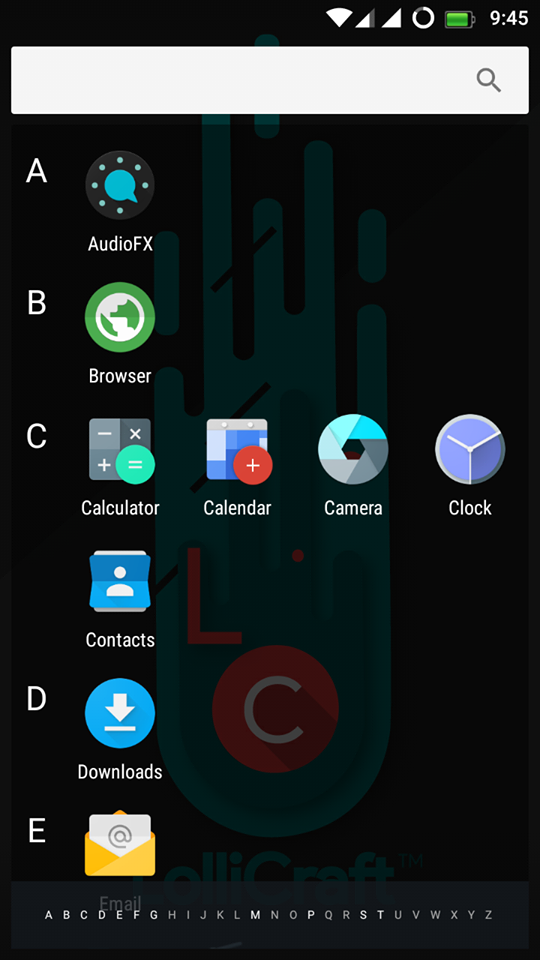
LolliCraft L is Lollypop based Rom (5.1.1) which is developed by Rahul Sehgal. It is totally Materialized and themed Lollipop Rom. The ROM is Unofficialy made for Xolo Omega 5.5 (MT6592). Do not flash the ROM directly in any other device. You need to port it first to your device, else your device might be bricked or will be stuck on bootloop then I will not be responsible for any damage that will happen to your device.

/*
** Your warranty is now not void.
**
** We are not responsible for bricked devices, dead SD cards, thermonuclear
** war, or you getting fired because the alarm app failed. Please do some*
** research if you have any concerns about features included in this ROM
** before flashing it! YOU are choosing to make these modifications, and if
** you point the finger at us for messing up your device, we will laugh at you.
**
**/

Rom Features

Main Interface
  • Customizations
  • Theme Chooser
  • Misc
Statusbar
  • Clock Customizations
  • Battery Settings
  • Battery Bar
  • Carrier Label
  • Statusbar Logo
  • Dynamic Engine (Para****)
  • Network Traffic Meters
  • And Many More
Recents
  • Search Bar Switch
  • RAM Memory Bar
  • Clear all button (position , icon , animation and color)
  • Hidden Apps
  • Extra Styles
  • Show clock and date
  • Immersive Recents
  • 2 Alt. Recents
  • Etc.
LockScreen
  • Visualizer
  • Weather
  • Shortcuts
  • Wallpaper
  • Etc
Notification Panel
  • Notifications
  • Panel Transparency Sh*ts
  • Number of QS rows
  • Number of QS tiles per row
  • Tile Animation and Style + Duration and Interpolator
  • Brightness Slider and ICON
  • Omni Header
  • Font Style
  • QS Logo
  • And some extra miscs.
Blur UI
  • Expanded Blur
  • Notification BG Blur
  • Header Blur
  • QS Blur
  • Recents Blur (Requires Restart UI)
Triggers
  • Gesture Anywhere
  • Oppo 3finger SS
  • App Circle Bar
  • PA Pie Control
  • Halo (Experimental)
NavBar
  • DU Nav Resizer with Nav Enabler
  • NB: Requires UI Restart

Screenshots

Downloads

Download the Most stable Lollycraft L 5.1.1 For Xolo Omega 5.5 ever from the below link along with several files.

Lollycraft L    Gapps

Flashing Instructions

  • Download Rom and copy to SD Card
  • Reboot into TWRP Recovery
  • Go to Wipe Option in TWRP
  • Go to Advanced Format option
  • Choose cache ,Data ,System and Dalvik cache partition and swipe for Formatting.
  • Flash ROM and wait until finish.
  • First time boot after flashing takes time. Please be Patienced.

    Credits

    • MrRajsingh111
    • Raj Kumar
    • Team LC
    • Rahul

    Final Words

    Note: The installation process of this new ROM is going to take a while. Also, the first boot process should take at least 10 minutes before it loads all the new files.
    Link For You:  For More Custom Roms Visit here. If you need any extra help completing this guide, then you should tell us in comments. If installation fails, then the only thing that you need to do is to try and repeat the whole tutorial more than once.

    Google Search Tags:

    Lollycraft L Rom, Lollycraft L Rom For Mediatek, Lollycraft L Rom For Xolo, Lollycraft L Rom For Xolo Omega 5.5, Lollycraft L Rom For MT6592, Lollycraft L Rom For MTK, Unofficial Lollycraft L Rom, Lollycraft L Rom For Android, Lollycraft L Rom Crossported Rom For MT6592, Pure Lollycraft L Rom For Mediatek

    Also Read: Official Lineage OS 15 For Android Devices
    Share this article with your friends and do let them know about this amazing article and I hope they will love it and love to install it on their device. Thank you for visiting Droidadda and keep visiting for more tips and tricks like this and I will meet you in the next article. Till then stay peace.
      Droidadda is one of worlds best online blogging portal where latest trending articles on Android,Blogging,Seo,Gadgets,Tricks,etc are daily published.

      Hey Everyone ! Today i'm presenting you one of the best custom ui based rom "Samsung Galaxy S7 Marshmallow ui". Which is an after market copied device rom. It has all the features like official Samsung Galaxy S7. But the main difference is that it is not official firmware.
      Lets discuss some of the features of this rom !
      Disclaimer: All the custom ROMs and firmwares, official software updates, tools, mods or anything mentioned in the tutorial belong to their respective owners/developers. We (www.droidadda.org) or the developers are not to be held responsible if you damage or brick your device. We don’t have you on gun point to try out this tutorial.

      Features

      • Added Clear Motion
      • Added Dynamic Statusbar
      • Added Gesture Anywhere
      • Added Partition Info
      • Added HeadsUp
      • Added S7 Music App
      • SMS app is more like S7
      • Dialer app is more like S7
      • Contacts app is more like S7
      • Added Original Samsung Keyboard
      • Added settings tab view option
      • Recent apps is more like S7
      • Added S7 Ringtones,Notifications
      • Added Ripple Animations
      • Volume panel is more like S7
      • Added Advanced Reboot Menü
      • Added Pac Screen Recorder
      • Added S7 Sound Recorder
      • Added StayOS Font changer
      • Added S7 Bootanimation
      • Added autostarts
      • Added carrier label in statusbar
      • Clock app is more like S7
      • Added clock options
      • Added screenshot delete button on screenshot saved notification
      • Added S7 Browser
      • Added S7 2x1 Weather
      • Added Multiwindow menu but no open two apps on screen
      • Added S7 Edge Screen
      • Added Toolbox
      • Added Adblocker
      • Added Internet Speed Meter
      • Added Galaxy Evolution Store
      • Added CPU Control
      • Fixed application installation problems.
      • Changed ICONS
      • Fixed youtube
      • Added Marshmallow animations.
      • Fixed root
      • Changed lockscreen sounds.
      • Best battery backup and performance

      Bugs

      • Fake Storage
      • Fake Ram Management

        Downloads


        Download the Most stable Samsung S7 rom For Xolo Omega 5.5 ever from the below link along with several files.

        Samsung S7    Gapps

        Sound Patch    IMEI Fix

        Screenshots


        Flashing Instructions

        • Download Rom and copy to SD Card
        • Reboot into TWRP Recovery
        • Go to Wipe Option in TWRP
        • Go to Advanced Format option
        • Choose cache ,Data ,System and Dalvik cache partition and swipe for Formatting.
        • Flash ROM and wait until finish.
        • First time boot after flashing takes time. Please be Patienced.

        Final Words

        Note: The installation process of this new ROM is going to take a while. Also, the first boot process should take at least 10 minutes before it loads all the new files.
        Link For You:  For More Custom Roms Visit here. If you need any extra help completing this guide, then you should tell us in comments. If installation fails, then the only thing that you need to do is to try and repeat the whole tutorial more than once.

        Google Search Tags:

        Dirty Unicorns, Dirty Unicorns For Mediatek, Dirty Unicorns For Xolo, Dirty Unicorns For Xolo Omega 5.5, Dirty Unicorns For MT6592, Dirty Unicorns For MTK, Unofficial Dirty Unicorns, Dirty Unicorns For Android, Dirty Unicorns Crossported Rom For MT6592, Pure Dirty Unicorns For Mediatek, Samsung Clone Rom, Samsung S7 Clone Rom, Samsung S7 Official Clone Rom For MT6592

        Also Read: Official Lineage OS 15 For Android Devices
        Share this article with your friends and do let them know about this amazing article and I hope they will love it and love to install it on their device. Thank you for visiting Droidadda and keep visiting for more tips and tricks like this and I will meet you in the next article. Till then stay peace.
        Droidadda is one of worlds best online blogging portal where latest trending articles on Android,Blogging,Seo,Gadgets,Tricks,etc are daily published.

        Hey, good news is here! Aosp Lollypop stock rom is now available for Xolo Omega 5.5 users. I wonder many of Xolo Omega 5.5 users will still be waiting for Lollypop update. So i decided to post this article here for you all. The rom is developed by MrRajsingh111

        The Android Open Source Project is the original unmodified version of android. It's the base ROM that all other ROM's work on. There are a few changes from CAF (code aurora forums) and Cyanogenmod to get this working for non-nexus devices like ours.

        Whats Working?

        • Touchscreen xD
        • Image decoding
        • MTP
        • Webview
        • Camera
        • Sensors
        • Houdini (stable)
        • Wi-Fi
        • Everything Workings
        • Media (IT IS FIXED) But Youtube can be dead
        • Audio (IT IS FIXED)
        • RIL (baseband) (IT IS FIXED)
        • New User Interface
        • Lots Of New Feature
        • Pre-Rooted
        • Init.d Support
        • Supar Fast Charing
        • Awesome Battery Backup
        • Fast Internet
        • Sound Enhancement, etc..

        How To Install?

        1. Enter into recovery Mode using Mobile Uncle Tools or Power + Volume Up key (after shutdown)
        2. Tap on Wipe Menu
        3. Select Wipe All data - Preflash
        4. Select Factory Reset
        5. Select Wipe Cache and Wipe dalvic cache
        6. Click Install zip from SD card
        7. Click Choose Zip, to browse SD card and choose the update.zip file
        8. After update.zip is flashed locate and flash SuperSU.zip
        9. Now Reboot the device

        Screenshots


        Download Now

        Click the below link to download the rom on your device

        Final Words

        So this was the article on how to install the Aosp Stock Lollypop rom on your Android device. I'm sure it will clear all your consequences about this rom in your mind. Now you have known all the facts about this rom clearly. I hope you love this article.
        Share this article with your friends and do let them know about this amazing article and I hope they will love it and love to install it on their device.
        Thank you for visiting Droidadda and keep visiting for more tips and tricks like this and I will meet you in the next article. Till then stay peace.
        Droidadda is one of worlds best online blogging portal where latest trending articles on Android,Blogging,Seo,Gadgets,Tricks,etc are daily published.

        Hello fellas, introducing a stable XUI Lollipop ROM for the Micromax A106, this ROM is so beautiful as its stable, the battery life is impeccable, and the camera quality is super sweet, Thanks to Manjot Sidhu &and his Team for providing this beautiful Rom for Micromax Unitians.

        Changelogs

        • Camera Focus Fixed
        • Recent App Button Fixed
        • Font Manager Fixed
        • Better Ram Management
        • Awesome Battery Backup

          Features

          • 21% improved performance
          • 20% longer battery life
          • Chic wallpapers & themes
          • Advanced power saving function,no more cry for low battery
          • XContacts,never lose touch
          • Xender,swap phones with ease
          • XClub-Infinix forum
          • Stay in touch,one account, connected everywhere
          • Magazine Lockscreen
          • Take screenshot with three fingers
          • One-hand mode
          • Quick start
          • Clear Motion
          • Stock Battery Backup
          • And Much More

          Screenshots


          Download

          Download the Beautiful XUI Rom from the link given below and enjoy the beauty.


          Note:  You must Flash this rom over Lollypop firmware. Because this rom does not support Kitkat partition due to is system partition size < 900mb which is not an issue in Lollypop Kernel roms.

          Things you may need to install if you dont have lollypop firmware installed on your device then download the given files from the link below.

          How To Install this Rom

          1. Flash via CTR Recovery
          • Boot Into CTR Recovery Mode
          • Wipe Data
          • Flash Rom
          • Reboot
          • Wait 10 mins until first boot!
          2. Flash via TWRP Recovery
          • Boot Into TWRP Recovery Mode
          • Then Go To Wipe
          • Then Click On Advanced Wipe
          • Then Just Select Dalvik/Art, Data, System, Cache And Just Swipe (It Will Take A Minute To Complete The Wipe)
          • Now Go Back, And Click On Mount, Now Just Click On System (This Will Unmount Your System Partition)
          • Now Go Back, And Now Click Install Zip
          • Now Flash Rom
          • Then Gapps
          • Reboot
          • Wait 10 mins until first boot!

          Credits

          • Manjot Sidhu
          • Ranjan
          • AH Raj
          • Worawat Chinabut
          • Supan Patechakang
          • Testers: Divyrajsinh Jadeja , John Kanti Deb

              Final Words

              This was the article on XUI 5.1 Stable Rom for Micromax A106. Now, without any issues, you can explore the features with your friends using this Rom. I hope you like this article. If you face any issues feel free to comment below. 
              Thank you for visiting Droidadda and keep visiting for more tips and tricks and Android articles. Share this article among your friends to aware most of your friends about this trick.