Do you want to know if your Access Point is vulnerable at the WPS protocol?
Wifi Wps Wpa Tester is the app that you need!
With this app, you can test the connection to AP with WPS PIN.
PINs are calculated with many algorithms:
Zhao
TrendNet
Dlink
Arris
And others default PIN of MANY Access Point.Then NOT ALL AP ARE COMPATIBLE WITH THIS APP.App needs root permissions for devices with Android version < 5.0 ( LOLLIPOP ).
For devices with Android >= 5.0 you can test the PINs with this app and you can connect, BUT YOU CANNOT SEE WPA ( OR WEP ) PASSWORD WITHOUT ROOT PERMISSIONS.
Use this app only with your own AP for do not go against the law.
Droidadda is one of worlds best online blogging portal where latest trending articles on Android,Blogging,Seo,Gadgets,Tricks,etc are daily published.
WiFi Hacking With KALI Nethunter
NEW Blog / Shop about KALI Nethunter just started. You can find it here In the former articles we showed you how to hack different WiFi protocols. We broke WEP & WPS so far, since here we get the biggest chances of success. But being a WiFi Hacker isn’t an easy job when you have to run around with a Laptop! This articles shows you how to run Wifite on KALI Nethunter, a special edition of KALI Linux running on Android Phones and Tablets!
Must Read : Kali Nethunter For Mediatek Devices MT6582MT6592
KALI Nethunter
The Homebase of KALI Nethunter is, of course, at Offensive Security. The KALI Nethunter is completely free. No costs, no fees, just download it! You can find the Landing Page to KALI Nethunter right here
It now supports the Mediatek mobile devices.This has been one of the biggest build for Mediatek Development platform. Next, you need an Y-Adapter for your chosen hacking device. We want to do some serious Wifi Hacking. You will also find that one on Amazon:
Y-Adapter Nexus Next, you need a powerful WiFi Adapter to conduct the WiFi Hacks. A must have for serious WiFi Hacking.
Before trying anything you have to recerch it once. As Kali NetHunter requires Linux Programming Skills. So you have to atleast know or learn about linux programming in order to crack WiFi's.
Droidadda is one of worlds best online blogging portal where latest trending articles on Android,Blogging,Seo,Gadgets,Tricks,etc are daily published.
As we all know that, wifi is now used by
lots of people and almost everyone is having their own personal wifi
connection. However, you don’t have much option to know who’s connected
to your Wi-Fi network. So, we are going to share an easiest way that
will help you find devices connected to your WiFi network. Go through
the post to know about it.
Today we are here with the cool trick that is How To Find Devices Connected To Your Wifi Network.
Lots of people now use wifi, and almost everyone has their personal
wifi networks. However, sometimes other person knows your password and
can use your wifi network, and with that, your bandwidths get divided,
and your network speed gets slow. So to overcome this, we have a cool
method that will help you check out all the device that is being
currently connected to your wifi network. So have a look at the complete
guide below.
How To Find Devices Connected To your Wifi Network
The method is very simple and depends on
a cool tool that will work on your PC and will scan all the devices
connected to your wifi network. Just follow up the below steps to
proceed.
Steps To Trace All The Devices Currently Connected To Your Wifi
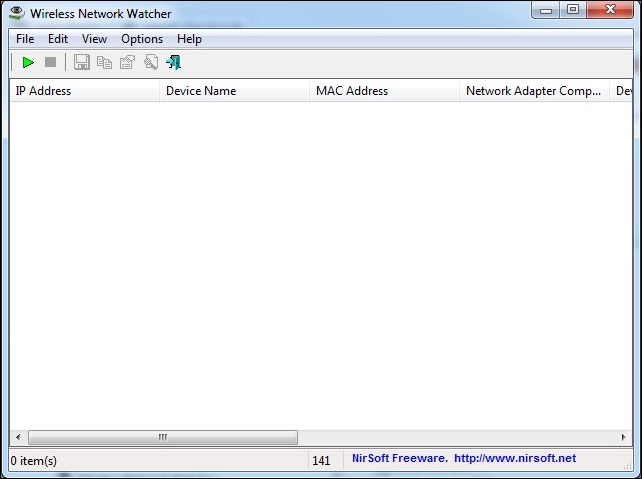
Step 1. First of all in your Windows PC download and install the cool tool to scan devices at wifi network that is Wireless Network Watcher. Once you installed, you will see the screen like below.
Step 2. Now connect to
the wifi network in which you want to check the connected devices and
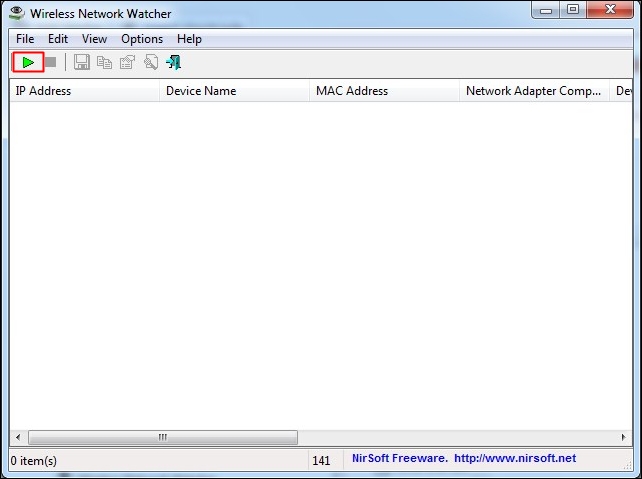
launch the tool on your PC and click on “Start Scanning”
Step 3. Once you
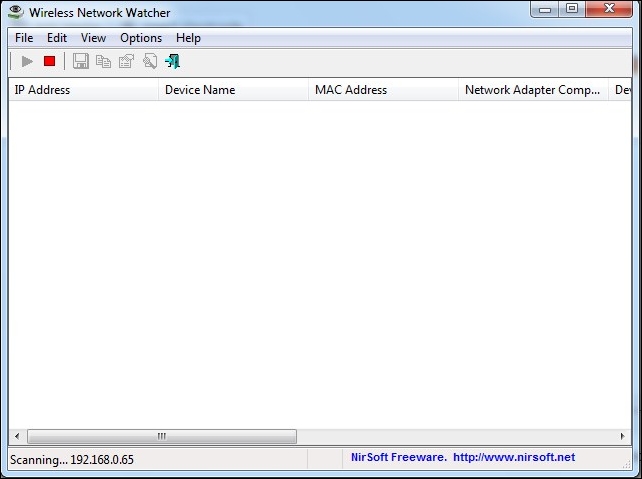
clicked on Start Scanning, you need to wait for few seconds until it
finishes the search for your connected devices on your Wifi Network
Step 4. Now you will see the list of all the devices with their IP address that currently being connected to your device.
That’s it now you can check out the owner of that IP address and can trace that person.
Using SoftPerfect WiFi Guard
SoftPerfect WiFi Guard will alert you if
your network is used without your knowledge. WiFi Guard is a
specialized network scanner that runs through your network at set
intervals and reports immediately if it has found any new, unknown or
unrecognized connected devices that could belong to an intruder.
Step 1. First of all, you need to download and install SoftPerfect WiFi Guard on your computer and run it.
Step 2. Now you need to go to File and then select the option Settings
Step 3. Now enable the last three options
Step 4. Now click on “Scan Now.”
Step 5. If any unrecognized device connects with your WiFi network, it will notify you.
So above is all about How To Find Devices Connected To Your Wifi Network.
With this method, you can easily trace out all the device that being
currently connected to your wifi and stealing your wifi network. Hope
you like this, do share with others too. Leave a comment if you have any
related queries with this.


 And others default PIN of MANY Access Point. Then NOT ALL AP ARE COMPATIBLE WITH THIS APP. App needs root permissions for devices with Android version < 5.0 ( LOLLIPOP ).